Power of a Point
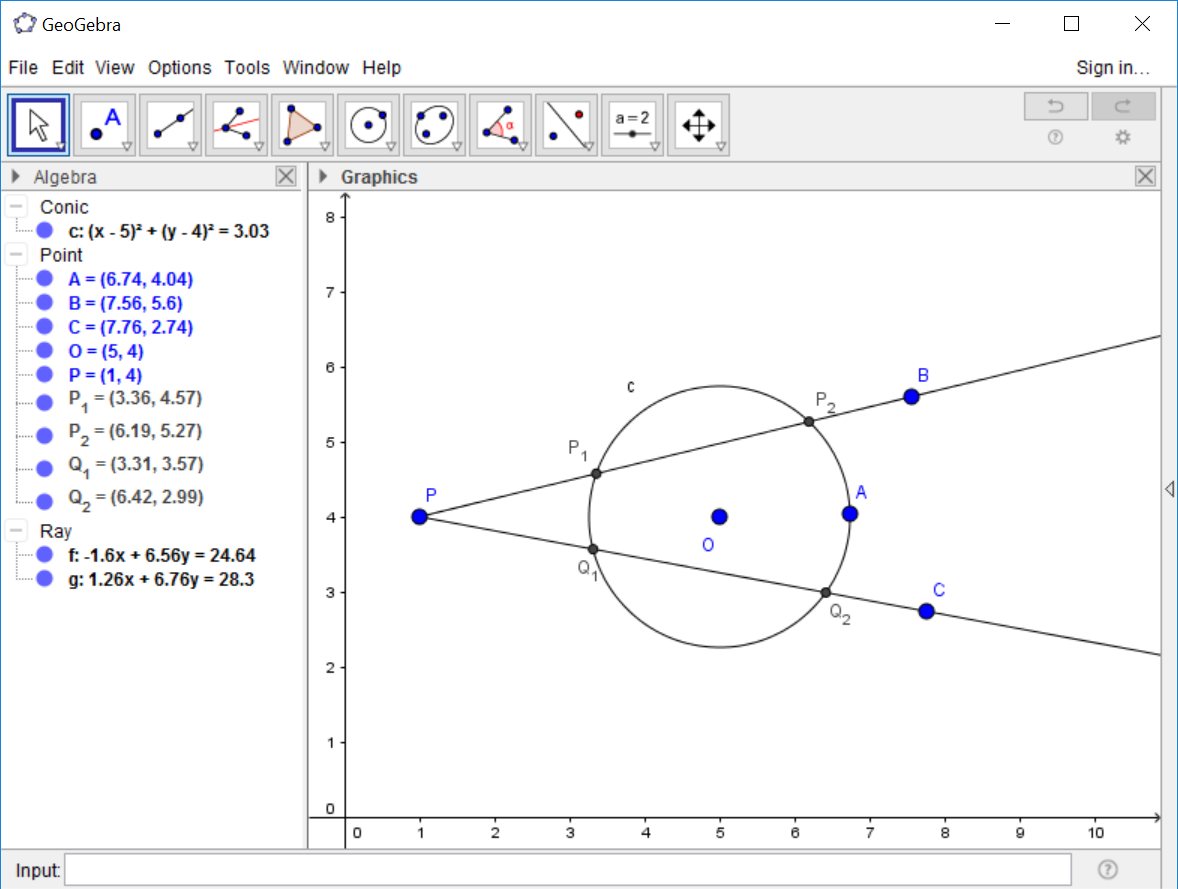
In the first part of Project 4, we define the power of a point with respect to a
circle. The first part of the project involves the construction of a circle
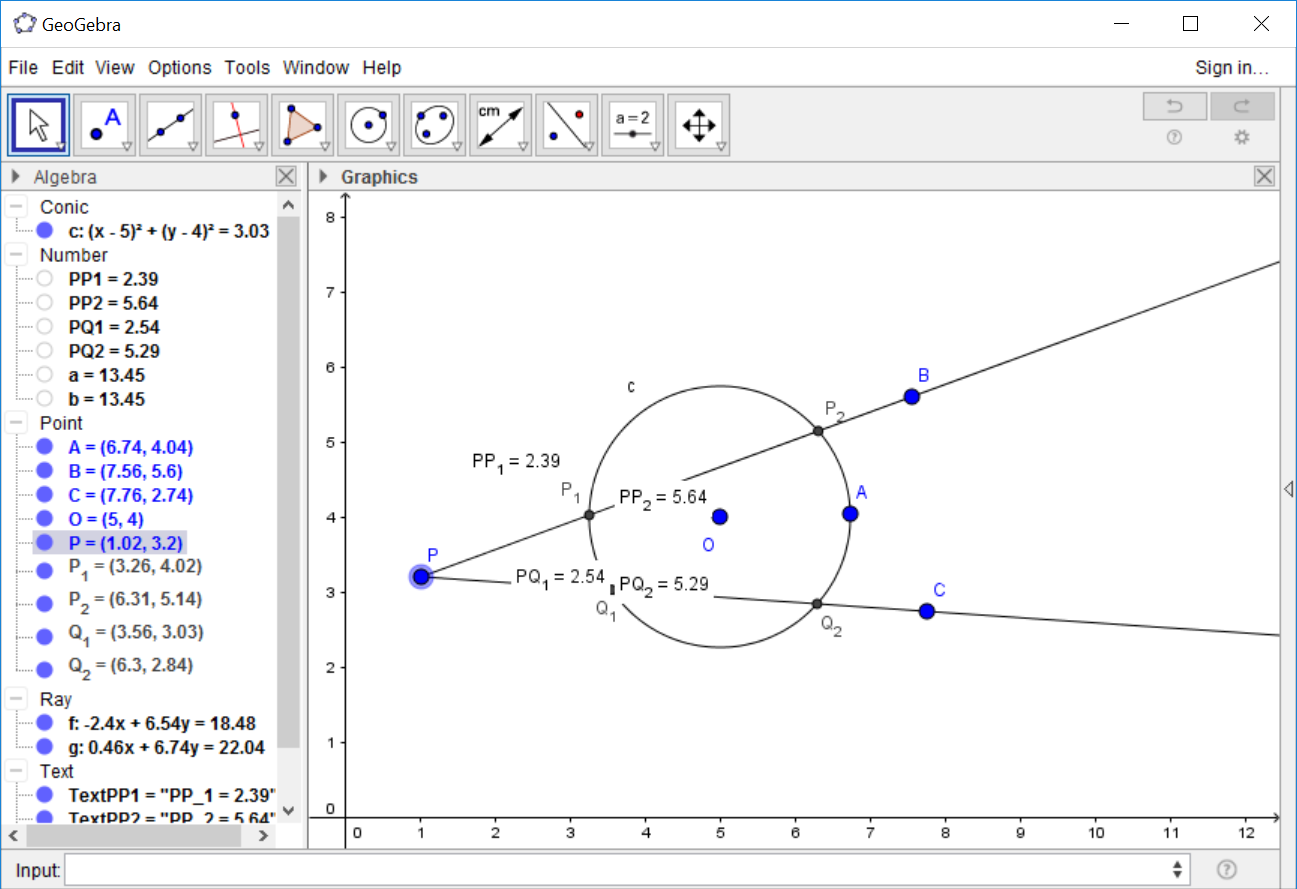
c, a point P outside c, and two rays from P that each intersect the
circle at two points. These are points P1, P2,
Q1, and Q2.
Measuring Distance
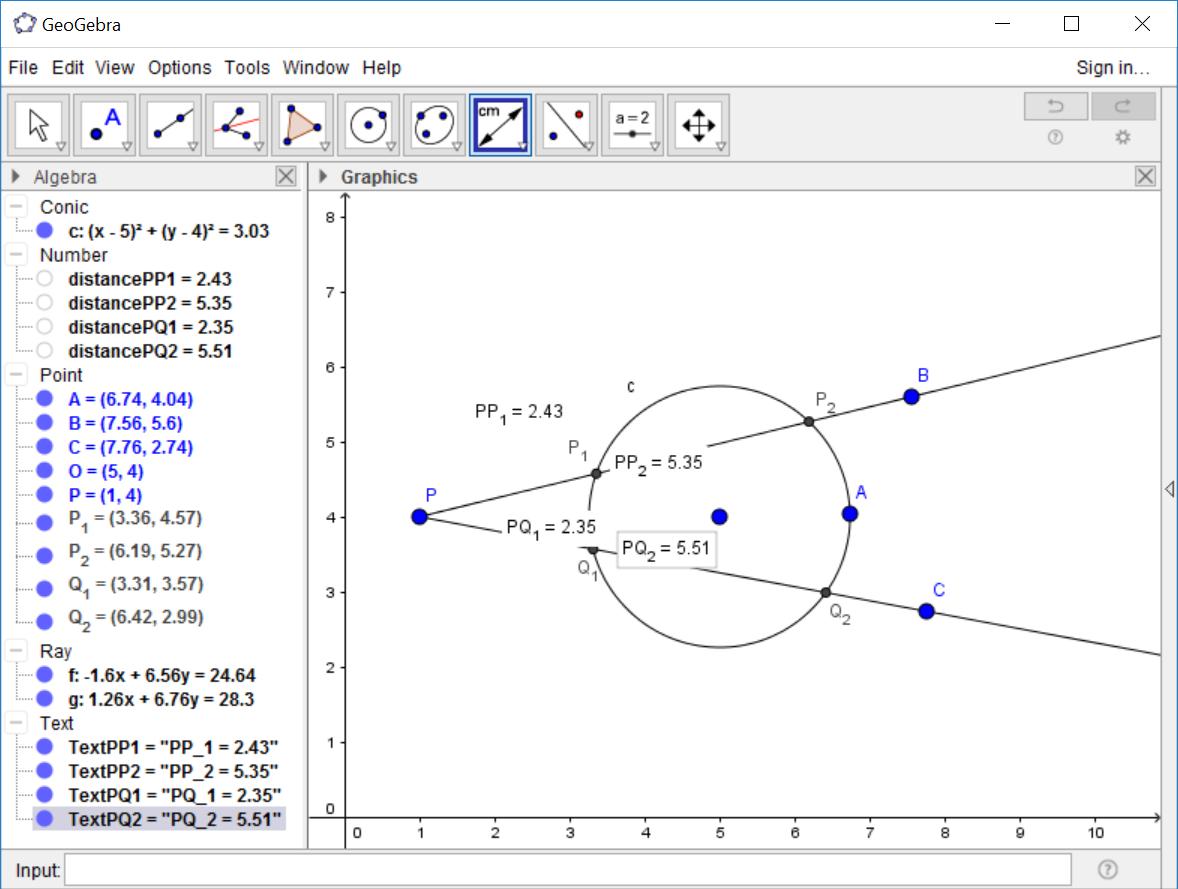
The next step is to find the distance from P to P1
(denoted PP1), and the distances PP2,
PQ1, PQ2. To find these distances we will use the Distance tool.
This is located under the button with the Angle icon. Click on the Angle button
and select the Distance tool.

With the Distance tool active, we click on the two points for which we want to measure the distance. Click on P and P1, then P and P2, P and Q1, and finally P and Q2. The four measurements are located on the screen.
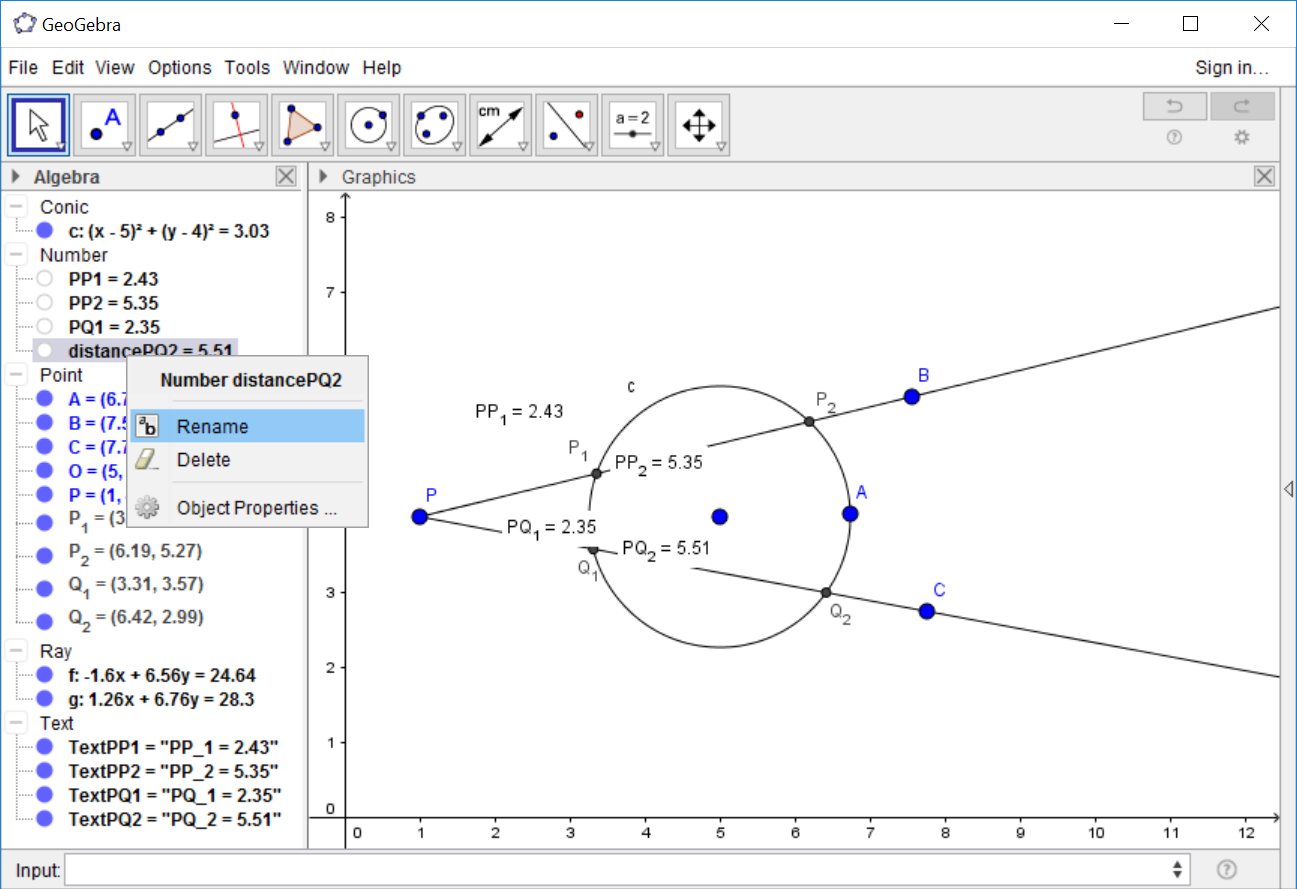
Now, we will compute products with these distances. To make these easier to carry out,we will shorten the names of the measurements. For each distance measurement in the Algebra View, right click on the measurement and select 'Rename.' A dialog box will pop up allowing for the renaming of the measurement. Delete the 'distance' part of each name.
Calculating Products
The next step is to find the product of PP1 with PP2
and the product of PQ1 with PQ2. In the text, we say to use
a calculator to find this product. In GeoGebra, we calculate
algebra quantities by typing in the 'Input' text field at the bottom of the screen.
Type 'PP1 PP2' into the Input field and hit return.
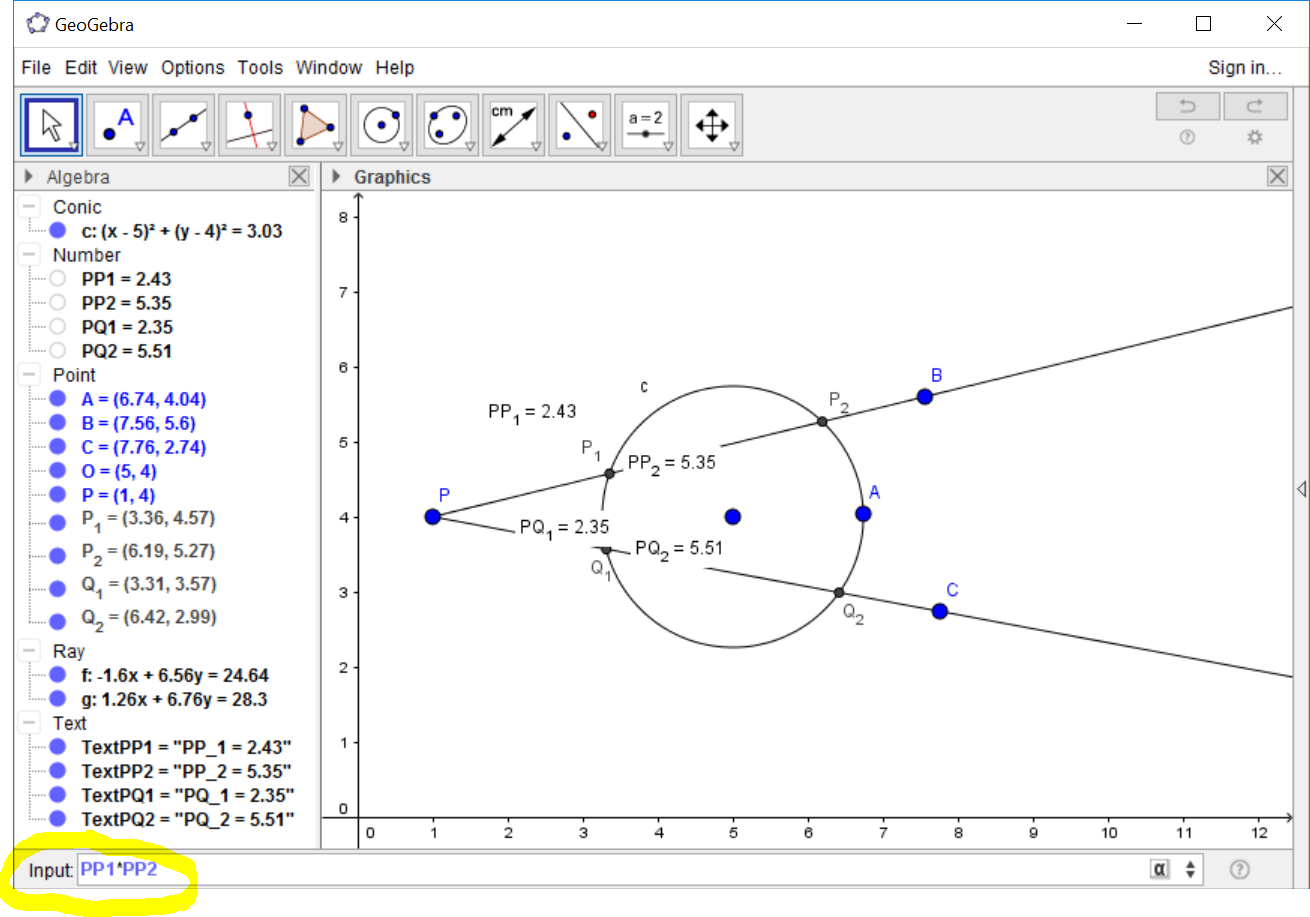
A new Number value will appear in the Algebra View that displays this product. Now, calculate the product of PQ1 with PQ2. We note that these two products are the same, even as we move point P around.
The remaining constructions and exercises in Project 4 should now be doable.