Construction of a Bézier Curve
We start with three points A, B, and C with segments from A to B and from
B to C. We attach a point A' to segment AB and measure the distance from
A to A' and the distance from A to B. (Use the Distance tool under the Angle
button.) We rename these two distances in the Algebra View by right-clicking
on them and choosing 'Rename.' We rename them to shorten the names as shown.
Then, we calculate the ratio of AA' to AB by typing "AA'/AB" into the
Input field. A new Number appears in the Algebra View with this ratio.

Dilation
The next step is to use this ratio as a dilation factor to dilate point
C to B by this ratio. The dilation tool is located in the
Transformation group of tools. These are the tools located under
the Reflect icon  . Choose the last one
in this drop-down menu. This is the Dilate tool. With this tool now active,
hover over this button and a tooltip will appear describing what
geometric objects are needed to define the dilation.
. Choose the last one
in this drop-down menu. This is the Dilate tool. With this tool now active,
hover over this button and a tooltip will appear describing what
geometric objects are needed to define the dilation.
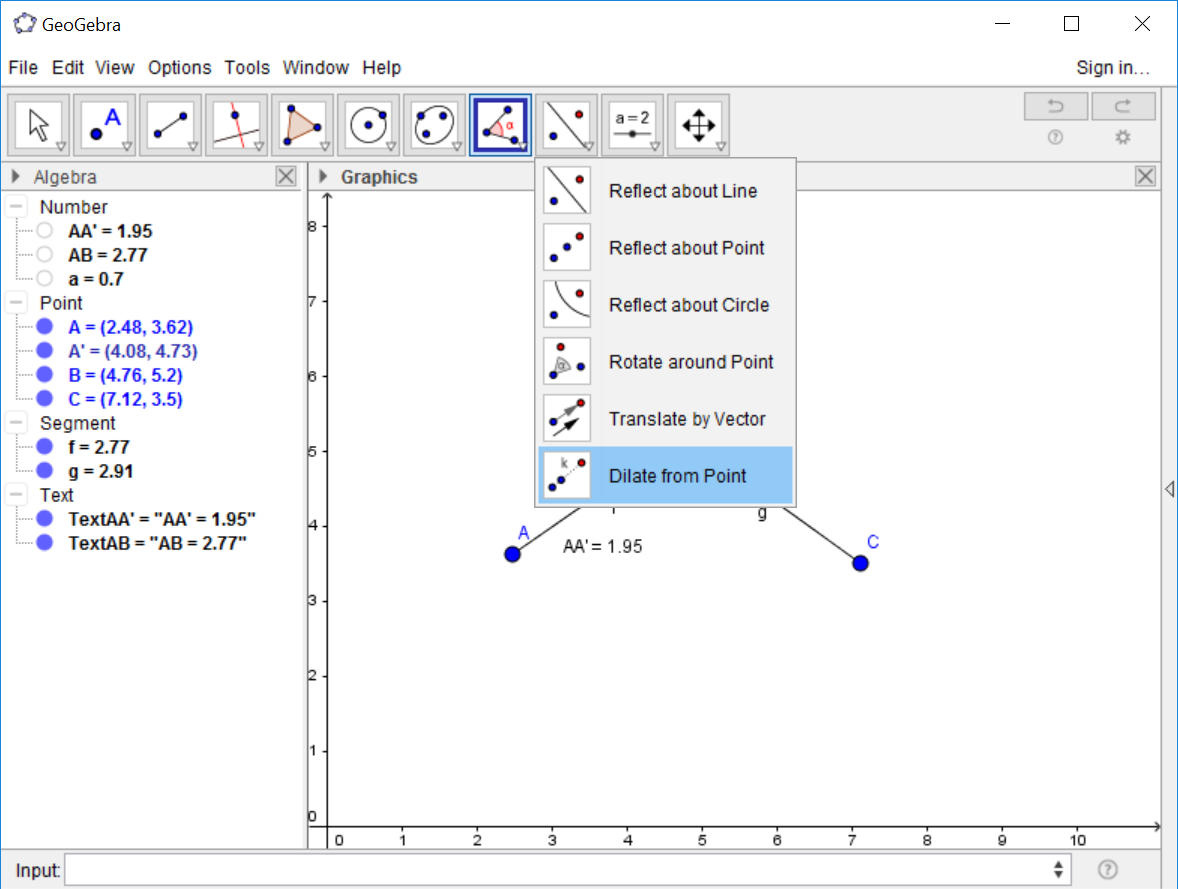
The tooltip instructs us that we need to first select the object to dilate, then the center of dilation (what point we are dilating towards), and then finally we will need to enter a dilation factor. Select C as the object to dilate, and then select B as the center of dilation. A dialog box will pop up. The ratio we want to use is the one we created above. This is the Number shown as 'a' in this example. Type 'a' in the dialog box and click 'Okay.'
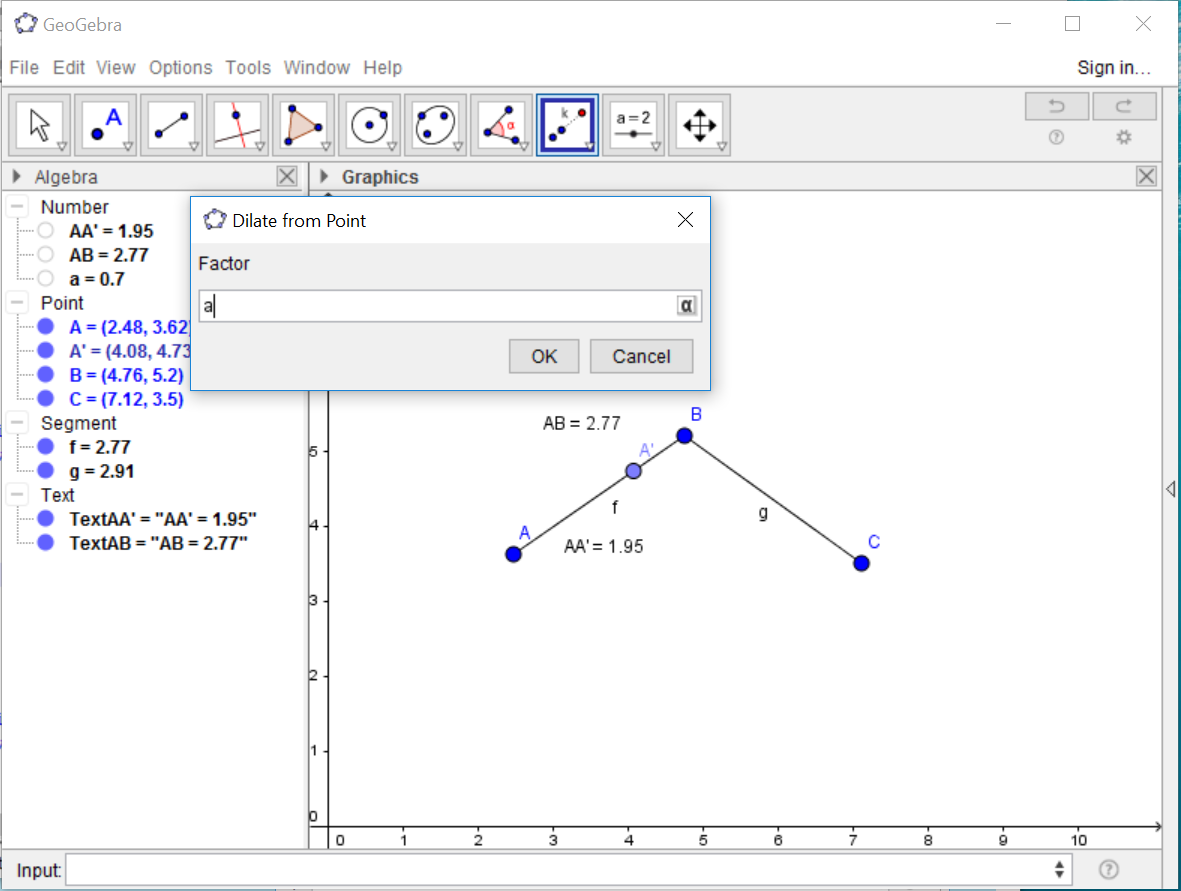
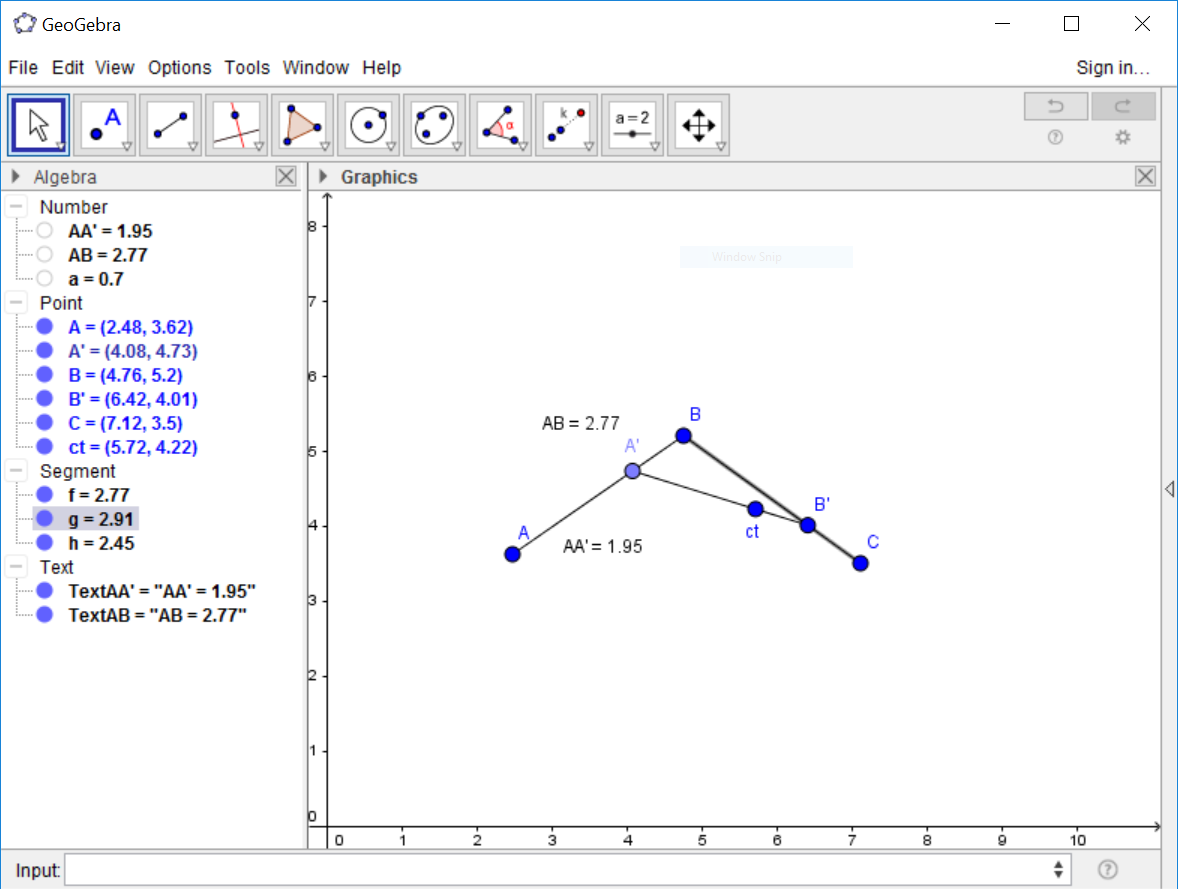
A new point B' will be created with the desired dilation factor towards B. Create segment A'B' and then dilate B' towards A' with the same ratio as we did above. This will create point ct.
Tracing a Point
We now will create a trace of point ct.
To do this right-click on ct (for Mac OS: Ctrl-click, for mobile devices long-tap).
Then, choose 'Trace Point.' As we move point A', all of the dilated points
will move in kind, and point ct will leave a 'trace' of where it is moved to.

The remaining constructions and exercises in Project 5 should now be doable.