Project 15 explores ratios in affine and projective geometry. For this project, we will need a special file for defining affine transformations. This is the file Affine.gsp. Download this file and open it using Sketchpad.

To start the project we construct a line AB and attach a point C. Then, we measure the distance from A to C and the distance from A to B. We compute the ratio of these distances by using the Calculator. The Calculator can be launched by choosing Calculate.. under the Number menu. (If you need help with these steps, review the Sketchpad Tools topics.)
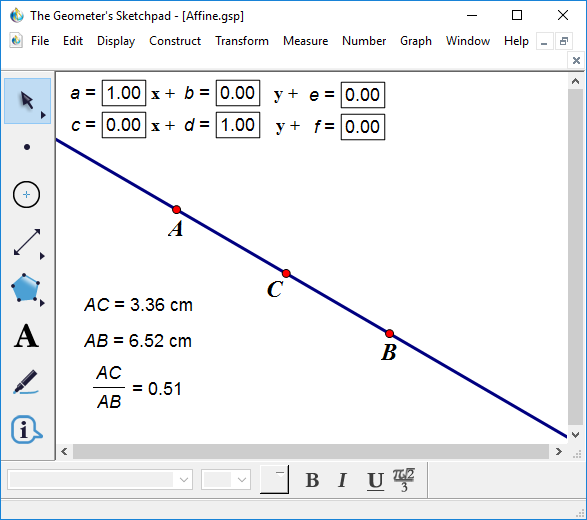
Next, we define an affine transformation by using the parameter boxes at the top of the window. We use the values from matrix A on page 408. We type in a = 1, b = -1, c = 1.5, d = 0.5, e = 1, and f = 1.
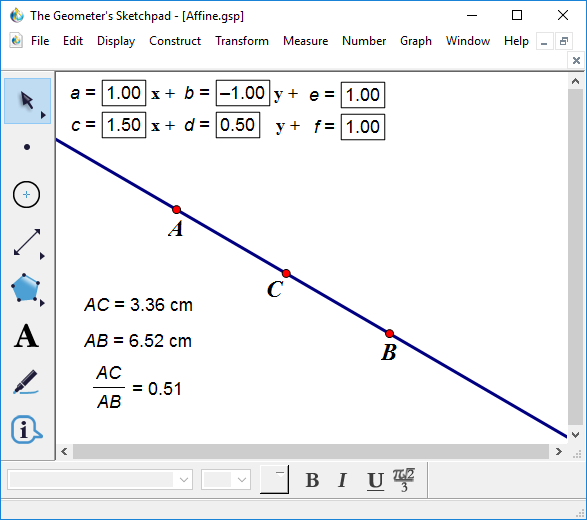
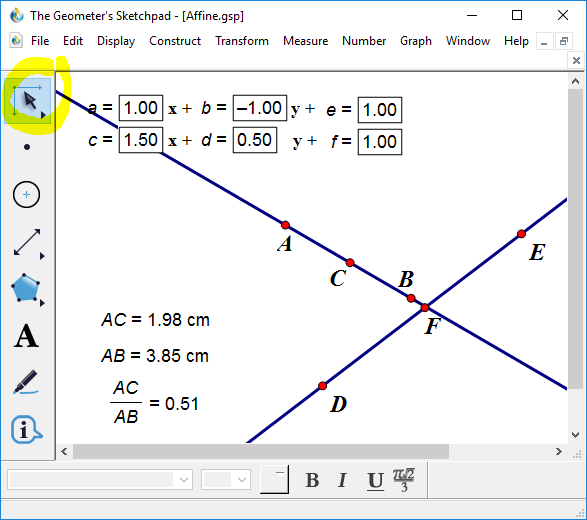
The affine transformation for this matrix is already stored as a Custom Transformation. If you click on the Transform menu you will find a new transformation called Affine at the bottom of the list. We can transform our points and line by selecting A, B, C, and the line and then choosing Affine from the Transform menu.

The transformed points may be out of view. If so, we can re-size
the window by using the Dilate Tool
 .
This is found under the Select button (the one with the black arrow cursor).
Make this tool active and then select the two lines. While still clicked on a
line, drag the mouse to shrink the lines until all points are visible.
.
This is found under the Select button (the one with the black arrow cursor).
Make this tool active and then select the two lines. While still clicked on a
line, drag the mouse to shrink the lines until all points are visible.
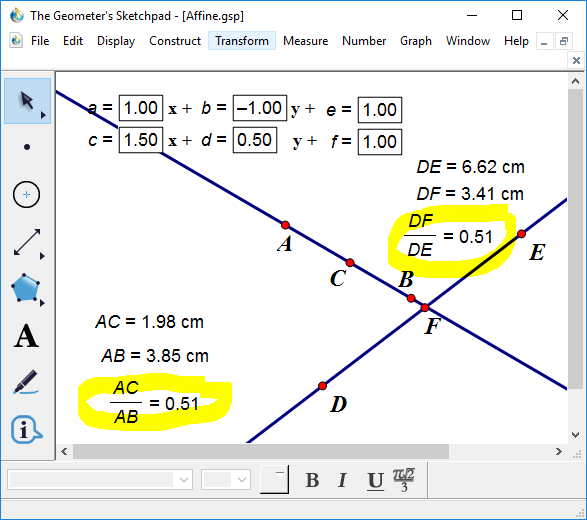
Then, measure the distance from D to F and from D to E, and calculate the ratio of these distances as we did above. The ratios match.
The remaining constructions and exercises in Project 15 should now be doable.